
Identification for your workflow
RFID card, PIN, fingerprint, face, palm or QR depending on the model. Your proposal specifies the reader and configuration you need.
Terminals
Elige el terminal que encaja con tu equipo y tu instalación. Puedes utilizar una tablet Android con Kiosco Emplyx o elegir un terminal ZKTeco en compra o alquiler, con distintos métodos de identificación.
TERMINALES
Conoce cada modelo, consulta sus características y descarga su ficha técnica.
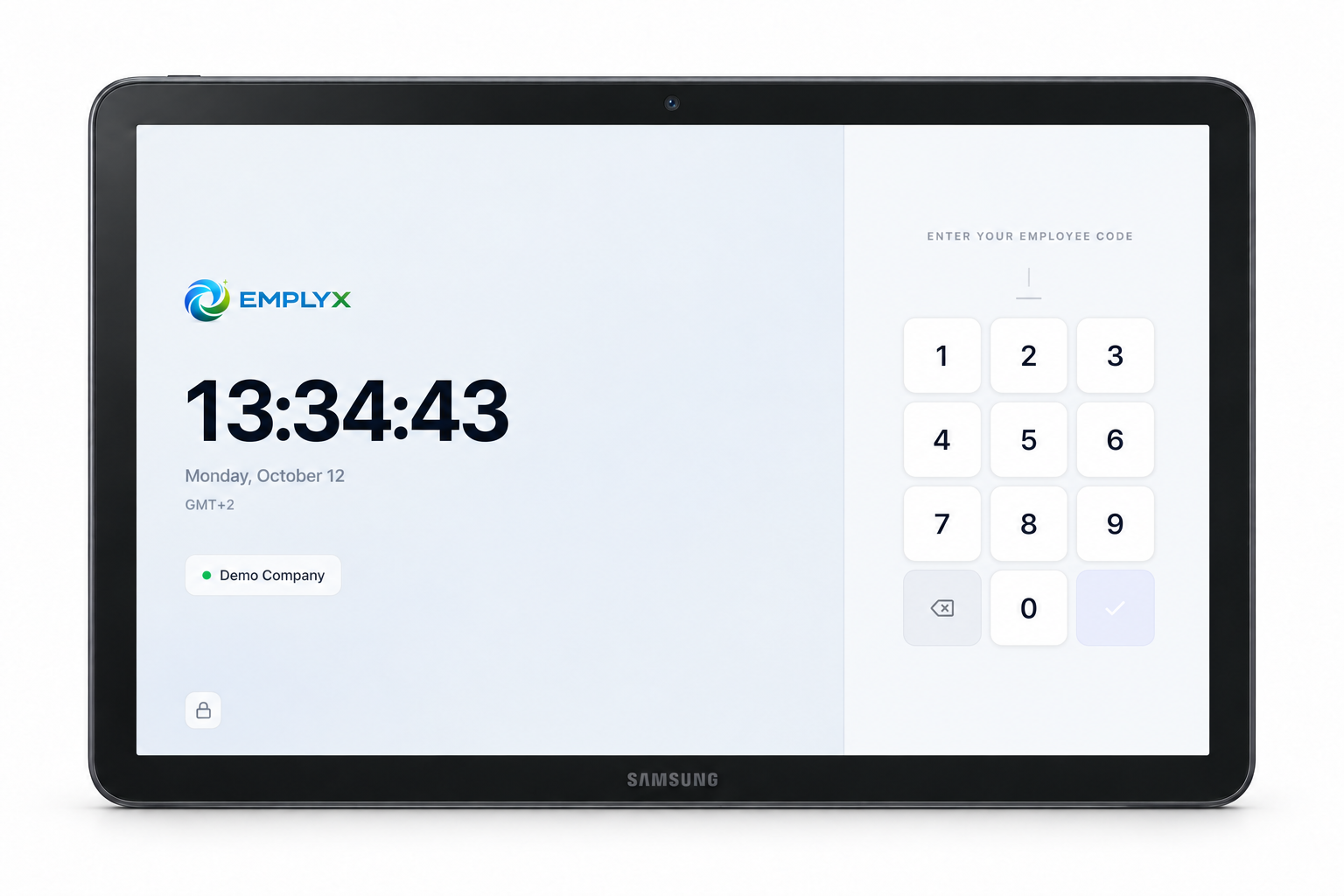
Tablet Android
Turn any Android tablet into an Emplyx terminal. Configure kiosk lockdown for dedicated terminal use, with quick clocking, the employee portal or both on the same device.
ZKSFFE · ZKSFFM
Identifica a cada persona por rostro, palma, huella, tarjeta o PIN. Conexión por cable o Wi-Fi y pantalla táctil para una utilización sencilla en el centro de trabajo.
ZKSCRF
Control de acceso con tarjeta o PIN, pantalla en color y teclado táctil. Carcasa preparada para exterior, con protección IP65 y resistencia a impactos IK04.
ZKSMFE · ZKSMFM
Terminal compacto con reconocimiento facial, huella, tarjeta y PIN. Su pantalla en color y teclado físico facilitan el fichaje y el control de acceso en el centro de trabajo.
ZKZPFP
Terminal Android con lector de huella, RFID dual y pantalla táctil de 7 pulgadas. Conectividad Ethernet, Wi-Fi y 4G para registrar fichajes desde distintas ubicaciones.
ZKZPQR
Terminal Android con lector QR dedicado, RFID dual y pantalla táctil de 7 pulgadas. Una solución sin contacto con conexión por cable, Wi-Fi o 4G y batería de respaldo.
ZKHERF
Terminal Android con reconocimiento facial, RFID dual y PIN. Pantalla táctil de 5 pulgadas y conexiones Ethernet, Wi-Fi y 4G para fichaje y control de acceso.
ZKHEFP
Terminal Android con reconocimiento facial y lector de huella integrado, además de RFID dual y PIN. Pantalla táctil de 5 pulgadas y conectividad Ethernet, Wi-Fi y 4G.
ZKHEQR
Terminal Android con reconocimiento facial y lector QR dedicado, además de RFID dual y PIN. Una solución sin contacto con pantalla táctil de 5 pulgadas y conexión 4G, Wi-Fi o Ethernet.
ZKGFFP
Terminal Android para exterior con reconocimiento facial, huella y RFID dual. Pantalla táctil de 8 pulgadas, protección IP65 y conexión Ethernet o Wi-Fi para fichaje y control de acceso.
SUBMFC
Terminal de exterior con reconocimiento facial, huella, tarjeta y PIN. Pantalla táctil de 7 pulgadas, intercomunicador y conexión LAN Gigabit para fichaje y control de acceso.
SUXSFP
Terminal de exterior con huella, tarjeta y PIN. Pantalla táctil de 4 pulgadas, conexión LAN y alimentación PoE para fichaje y control de acceso.
SUXSRF
Terminal de exterior con tarjeta y PIN, pantalla táctil de 4 pulgadas y conexión LAN. Alimentación PoE y lector RFID dual para controlar accesos y registrar fichajes.
SUBLFP
Terminal de exterior con huella, tarjeta y PIN. Su pantalla en color y teclado físico permiten fichar y controlar accesos. Conexión por LAN o a una centralita mediante Wiegand o RS-485.
SUCSCT
Centralita de control de acceso para gestionar lectores y puertas desde un punto protegido. Cuatro relés, cuatro entradas Wiegand y cinco canales RS-485, con conexión LAN.
Ver terminal y ficha técnicaSUCTCT
Centralita para dos puertas con cuatro relés, conexión LAN y lectores externos. Dos entradas Wiegand, tres canales RS-485 y entradas supervisadas para controlar accesos desde un armario protegido.
Ver terminal y ficha técnicaSUCTPO
Centralita para dos puertas con cuatro relés y alimentación PoE+. Gestiona lectores externos por Wiegand y RS-485, con conexión LAN y ranura SAM para aplicaciones de tarjeta segura.
Ver terminal y ficha técnicaWITHIN TERMINALS
RFID card, PIN, fingerprint, face, palm or QR depending on the model. Your proposal specifies the reader and configuration you need.
Ethernet, Wi-Fi or 4G depending on the device. We review connectivity, power supply and the installation location to select the right configuration.
Choose purchase or monthly rental. Rental has a 12-month commitment; the full terms are set out in the contract.
Purchased devices have a 2-year warranty without a replacement service; repair times depend on the supplier and fault. Rented devices are replaced in less than 72 hours in the event of a fault, subject to the contract terms.
AN EXAMPLE IN YOUR COMPANY
A company chooses the terminal, identification method and contract option for each location. The proposal defines the connection and installation of the devices.
THE RESULT
Terminals adapted to each location, with certified Emplyx integration.BEFORE STARTING
Tablet Android con Kiosco Emplyx, SpeedFace V5L, SC800, Sense M2F, ZPad Plus, Horus E2 y G5 Android FP, con sus respectivas configuraciones. Te ayudamos a elegir el equipo y el lector según las características de cada modelo.
Yes, on models offering both configurations. The proposal identifies the reference and reader type; the SC800 in our catalogue includes a dual EM and MIFARE reader.
Use of the terminal for a monthly fee, with a 12-month commitment and replacement in less than 72 hours in the event of a fault. See the rental contract for the full terms.
We review your case, the team that will use it, and the necessary information sources. The proposal specifies functions, accesses, connections, and contracting conditions before starting.
THEY CAN WORK TOGETHER
Add other solutions when your operations require it. Scope and connections are defined in your proposal.
Clock-ins, workday, and hour balances, with the necessary detail to review each day.
Explore solutionQuick clocking, the portal or both on a shared Android tablet.
Explore solutionPersonal access to the workday, requests, documents, and company information.
Explore solutionSTART WITH WHAT YOU NEED
Tell us what you want to solve. We define with you the modules, access, and connections your company needs.